

03 · SIA – HOME
A patient tutor for the question in front of you
Sia is Topicly’s AI tutor. Type a doubt in your own words and Sia explains it, solves it step by step or teaches the same idea another way.
“I read the chapter but I still don’t get it.”
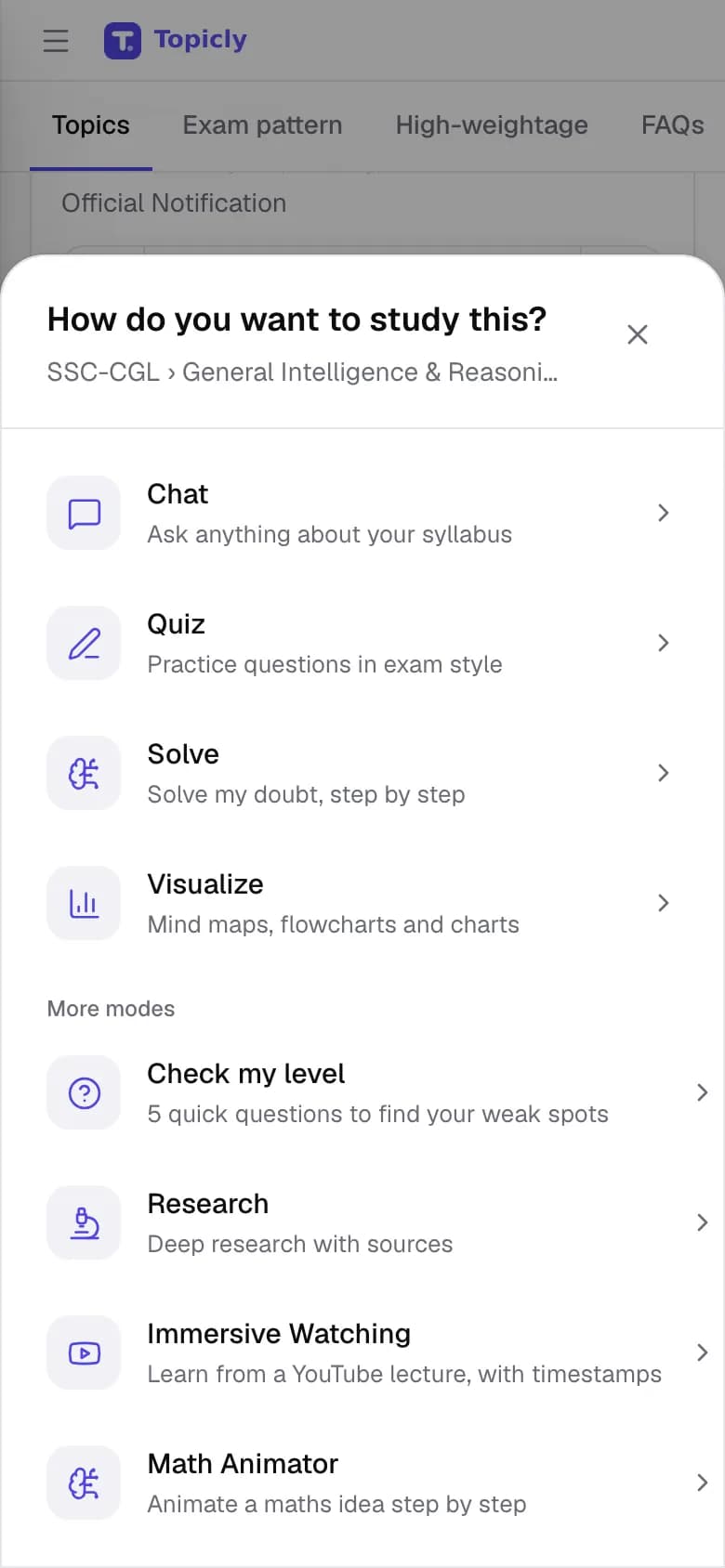
WALKTHROUGH
How to use Sia – Home, step by step.
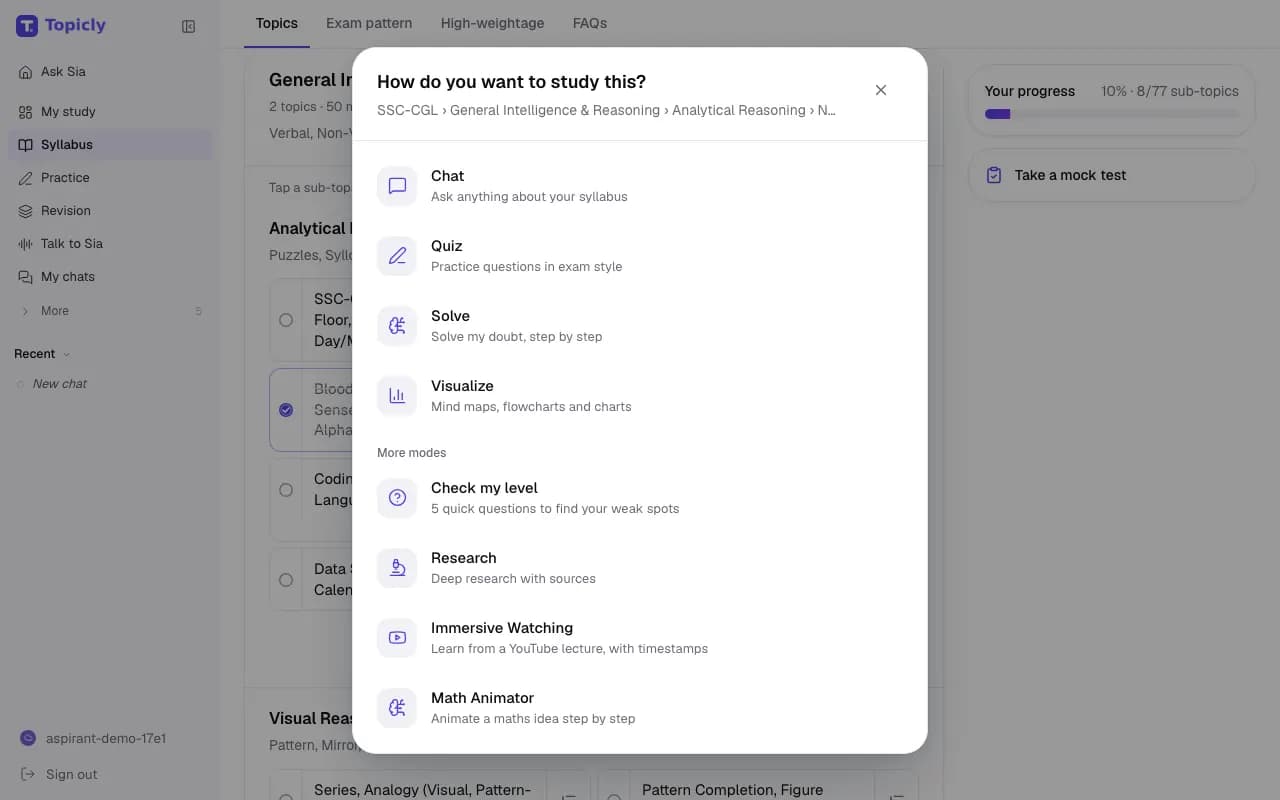
Open Sia – Home, or tap a topic in your syllabus, and type your doubt in your own words.
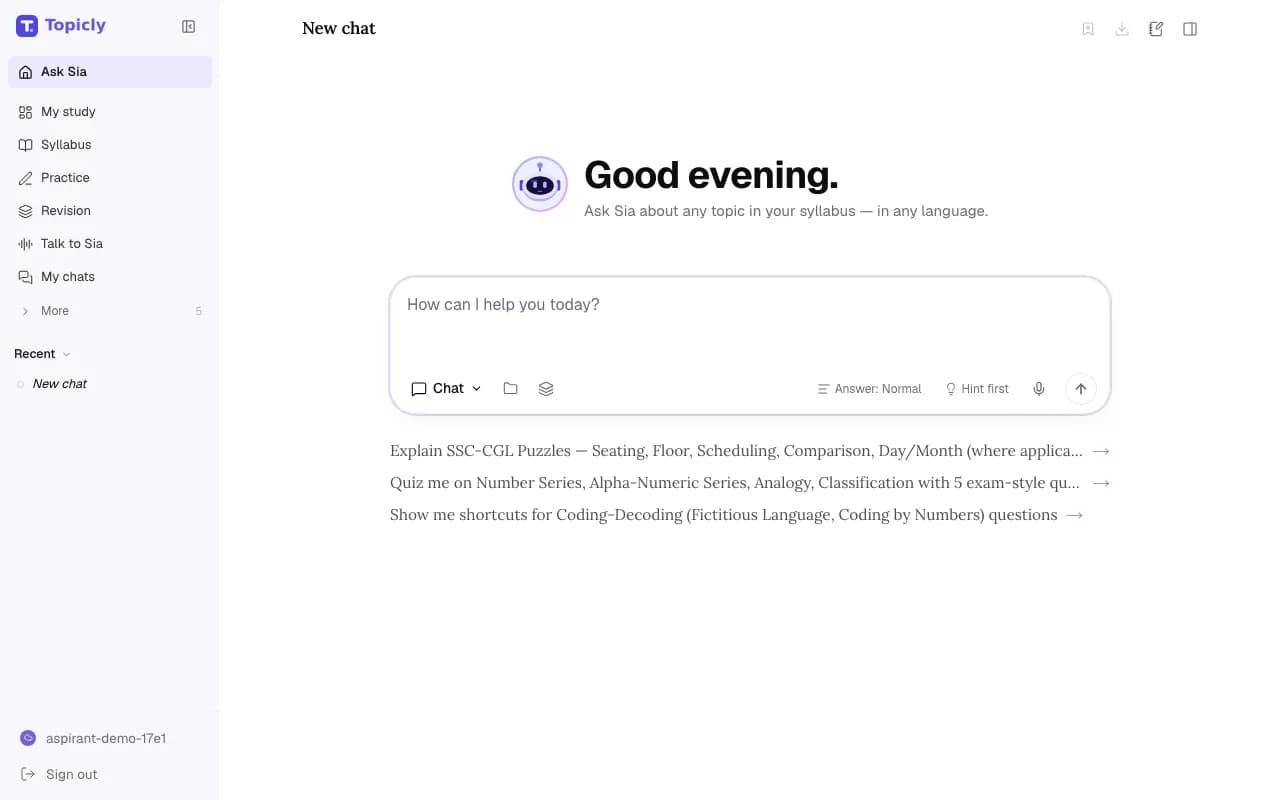
Choose how to learn it: a plain explanation, a worked solution, a quick quiz or a picture.
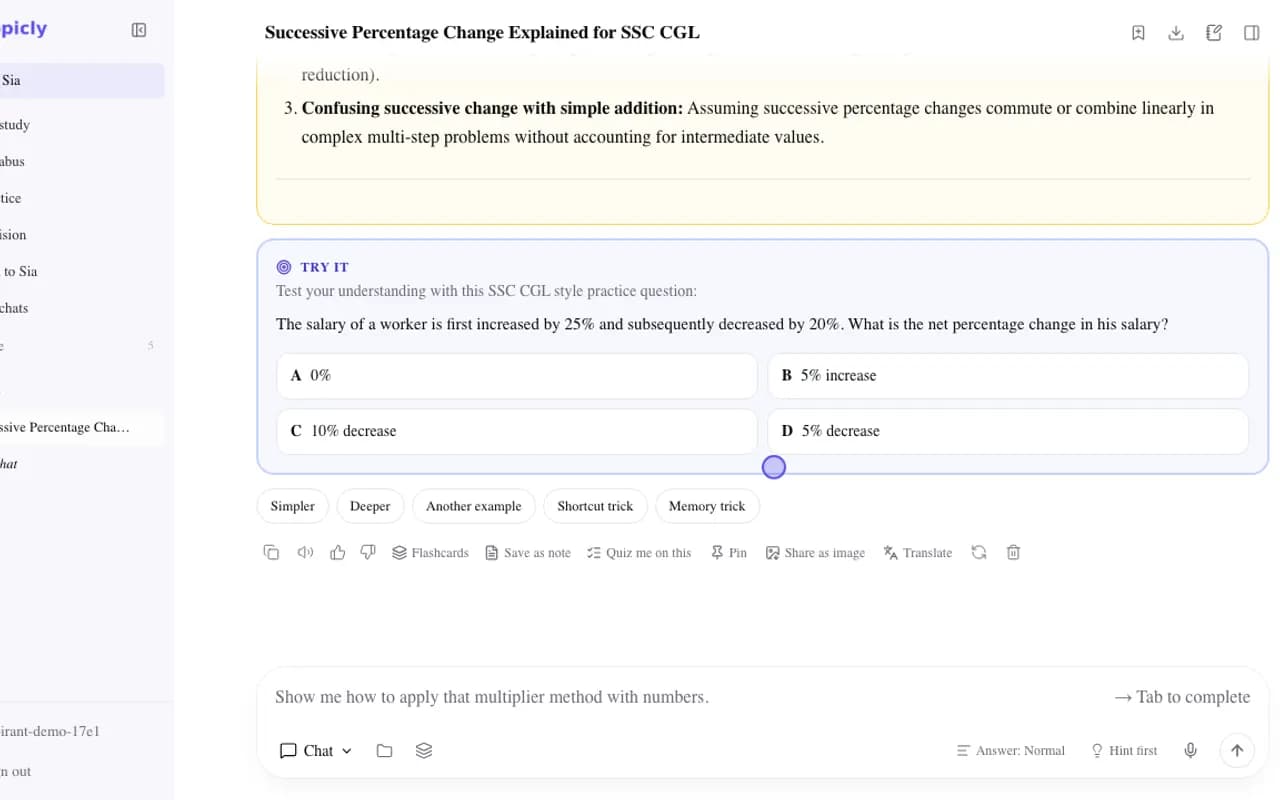
Ask about the part that is still unclear, then save the answer or go straight to practice.
EVERY FEATURE IN SIA – HOME
What you can do, and why it helps.
- 01
Explanations in your words
Sia explains a concept and answers follow-up questions about the exact step you are stuck on.
- How it works
- Type a question and choose a short, normal or detailed answer. Turn on Hint first to get a hint before the full solution.
- How it helps
- You clear one doubt properly instead of skimming three videos.
- 02
Study modes for every topic
Different ways into the same topic: Chat, Quiz, Solve, Visualize, Check my level and Research.
- How it works
- Tap any syllabus sub-topic and pick a mode. You only see the modes your account can use.
- How it helps
- When one approach is not working, you can switch to another without starting over.
- 03
Step-by-step solving
Solve works through a problem one step at a time and explains the reason for each step.
- How it works
- Type the question, or use Snap a question to send a photo of it from a book or paper.
- How it helps
- You learn the method, which carries over to the next question.
- 04
Topic shortcuts
One-tap actions such as quiz me, show a short trick and check my answer.
- How it works
- Chats started from a syllabus topic remember your exam and topic, so the shortcuts stay on it.
- How it helps
- Less typing, and answers that match your exam rather than a general textbook.
- 05
Turn an answer into revision
Buttons under an answer to make flashcards, save a note, start a quiz or translate it.
- How it works
- Use them as soon as an explanation clicks; what you make appears in Revision Hub.
- How it helps
- A good explanation becomes something you can revise, not just read once.
- 06
Translate any answer
A Translate button under answers and quiz questions that shows the same text in another Topicly language.
- How it works
- Pick a language from the menu; the translation appears below the original.
- How it helps
- You can check a tricky term in Hindi or your home language without leaving the page.
- 07
Answers you can check
Answers that used the web list the sources they used.
- How it works
- Open a source to read it yourself. You can also pin an answer, or share it as an image.
- How it helps
- You can verify a fact before you rely on it in the exam.
- 08
Dictate your question
Speak your question into the chat box instead of typing it.
- How it works
- Tap the microphone in the chat box. For a full spoken conversation, use Ask Sia AI.
- How it helps
- Long or awkward questions are quicker to say than to type.
IN YOUR PREPARATION
How aspirants use it.
- SSC CGL
Ask “Explain successive percentage change with an example”, then ask for a shortcut you can use under time pressure.
- IBPS PO
Snap a data-interpretation question from a practice book and let Solve walk through each calculation.
- UPPSC
Ask Sia to explain the difference between Fundamental Rights and Directive Principles in Hindi, then make flashcards from the answer.
Good to know
Needs a free account. Available modes depend on your account and setup. Photo questions need an image-capable model, and dictation needs a supported browser. Sia is an AI tutor and can make mistakes, so check important facts. Topicly does not guarantee exam results. Paid plans on the pricing page are proposed and cannot be bought today.
Ready to try Sia – Home?