

06 · PERFORMANCE ANALYTICS
See where your marks are slipping
Performance analytics, inside Mock & Practice, shows your accuracy and speed by subject and topic, every attempt you have taken and a short plan for the topics that need work.
“I don’t know which topics are pulling my score down.”
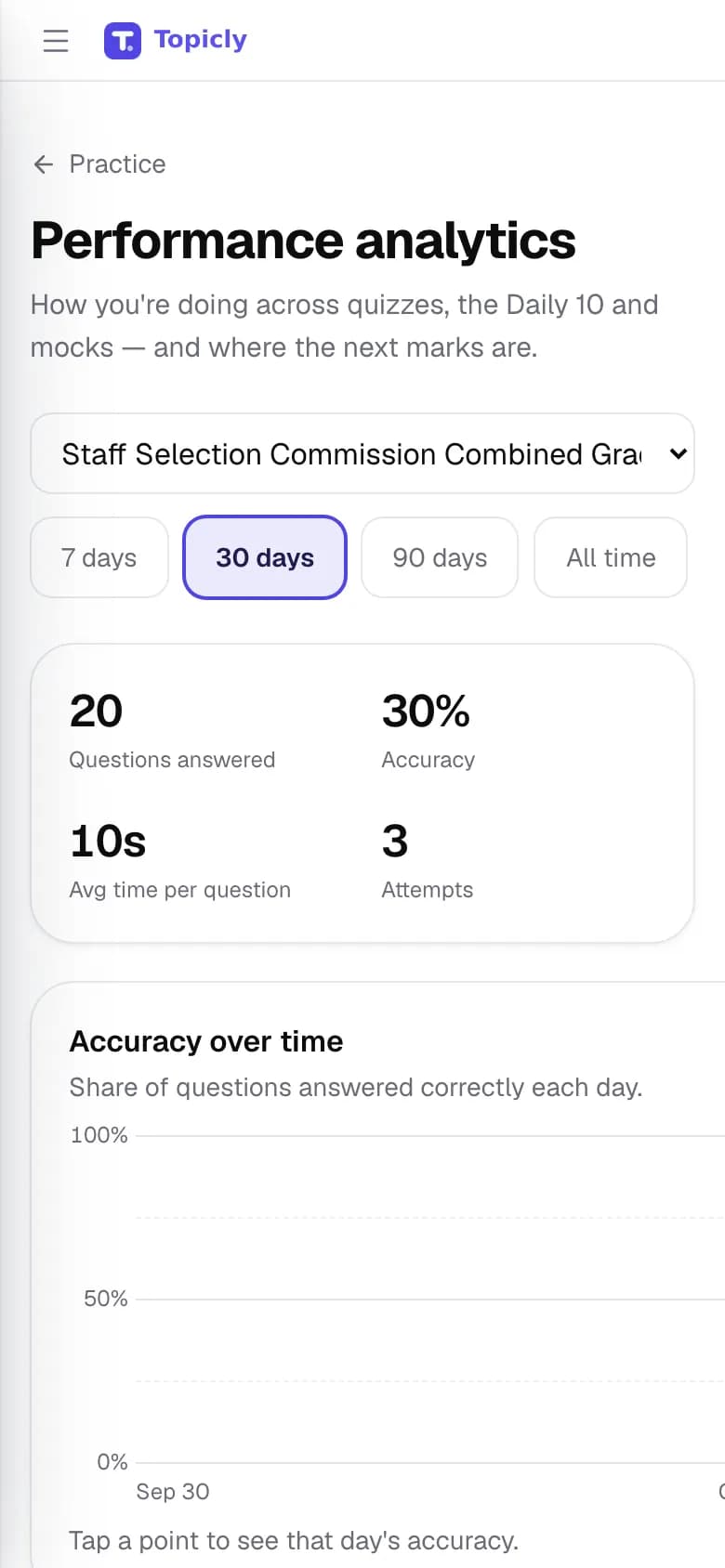
WALKTHROUGH
How to use Performance analytics, step by step.
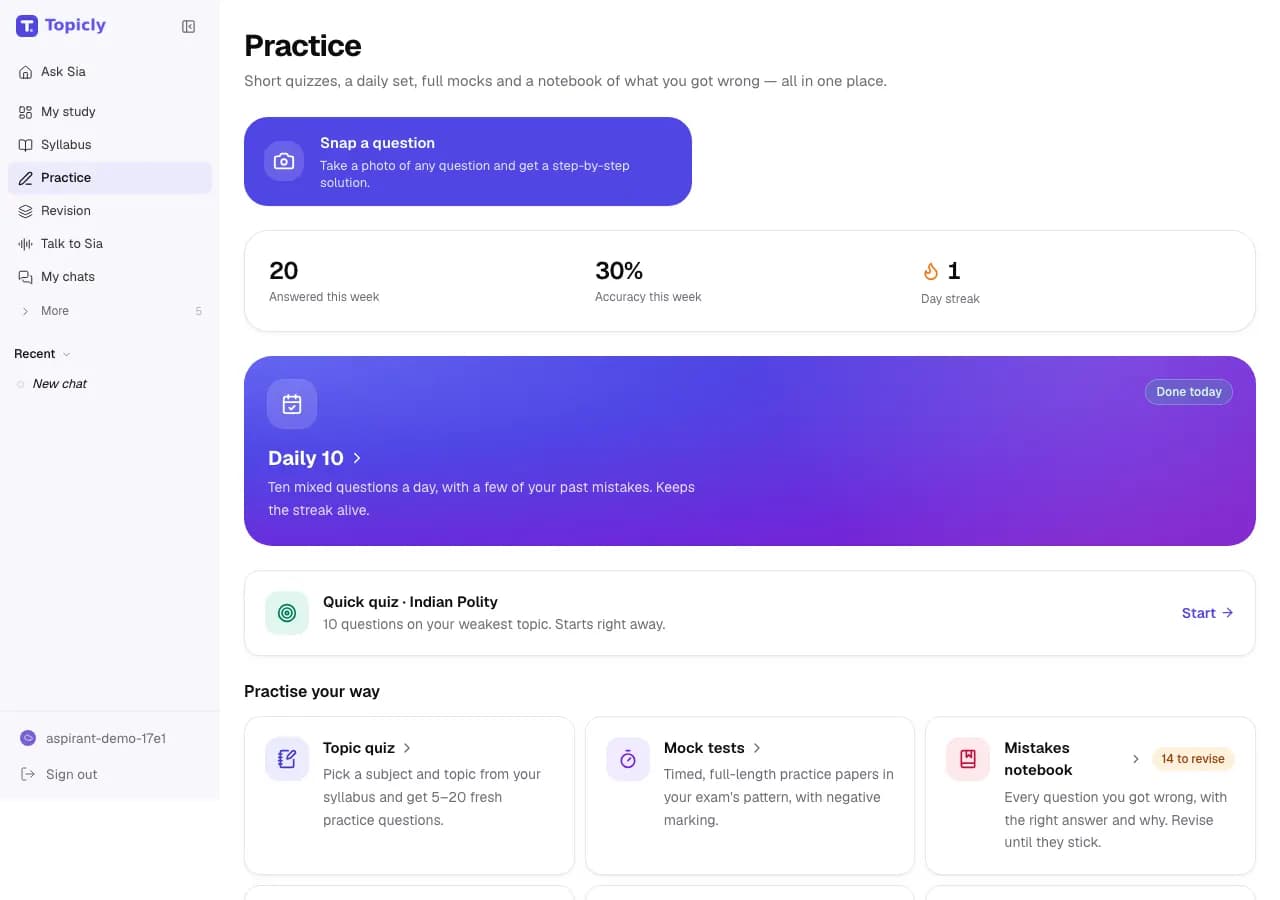
Practise as usual: quizzes, the Daily 10 and mocks all feed your analytics.
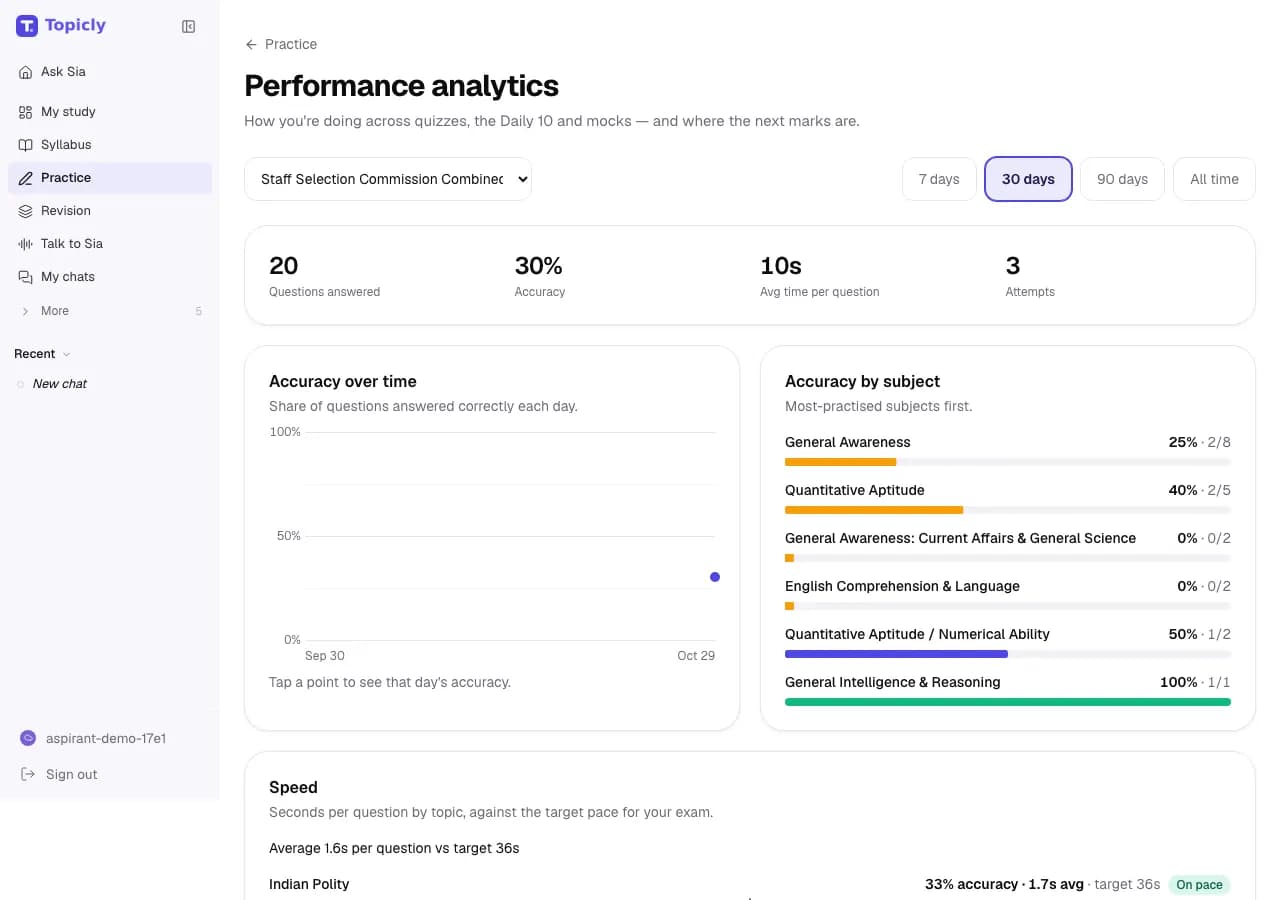
Open Analytics to see accuracy by subject and time per question against your exam’s target pace.
Work through your 7-day fix-up plan on My Preparation, then check the trend again next week.
EVERY FEATURE IN PERFORMANCE ANALYTICS
What you can do, and why it helps.
- 01
Performance analytics
Questions answered, accuracy and average time per question, across quizzes, the Daily 10, mocks and past papers.
- How it works
- Filter by exam and by the last 7, 30 or 90 days, or all time. Accuracy over time is charted day by day.
- How it helps
- You can tell whether this month’s practice is actually paying off.
- 02
Accuracy by subject
Your accuracy in each subject, most-practised first.
- How it works
- Built automatically from every attempt. There is nothing to set up.
- How it helps
- Strong and weak subjects are obvious at a glance.
- 03
Speed against target
Seconds per question for each topic, compared with the target pace for your exam.
- How it works
- Shown after your next quiz and updated with every attempt.
- How it helps
- You see whether a topic needs more understanding or simply more speed.
- 04
What is dragging your score down
Your lowest-accuracy topics, plus your strongest ones to keep fresh.
- How it works
- A topic appears once you have answered enough questions on it for the number to mean something.
- How it helps
- Your next study hour goes where it can lift your score the most.
- 05
Sure or guessing
Tag an answer as sure or a guess, and see how often your guesses were right.
- How it works
- Right answers you marked as guesses go to the mistakes notebook for another look.
- How it helps
- Lucky guesses stop hiding gaps in your preparation.
- 06
Attempt history
Every quiz, Daily 10 and mock you have taken, newest first.
- How it works
- Expand an attempt to see its section-wise results.
- How it helps
- You can see whether timing and accuracy are improving across mocks.
IN YOUR PREPARATION
How aspirants use it.
- SSC CGL
Analytics shows Geometry accuracy is fine but slow: switch to speed drills for that topic this week.
- IBPS PO
Compare your last three Prelims mocks to see whether the Reasoning section score is moving.
- RRB NTPC
The 7-day fix-up plan flags General Science; spend two sessions there before your next mock.
Good to know
Needs a free account. Insights depend on how much you have practised; some appear only after enough attempts. Scores reflect practice on Topicly, not a prediction of your exam result. Topicly does not guarantee exam results. Paid plans on the pricing page are proposed and cannot be bought today.
Ready to try Performance analytics?