

13 · LANGUAGES AND ACCESS
Study in the language you think in
Use the app in English or Hindi, get tutor replies in eleven languages and keep studying on a slow connection.
“I understand it better in Hindi.”
WALKTHROUGH
How to use Languages and access, step by step.
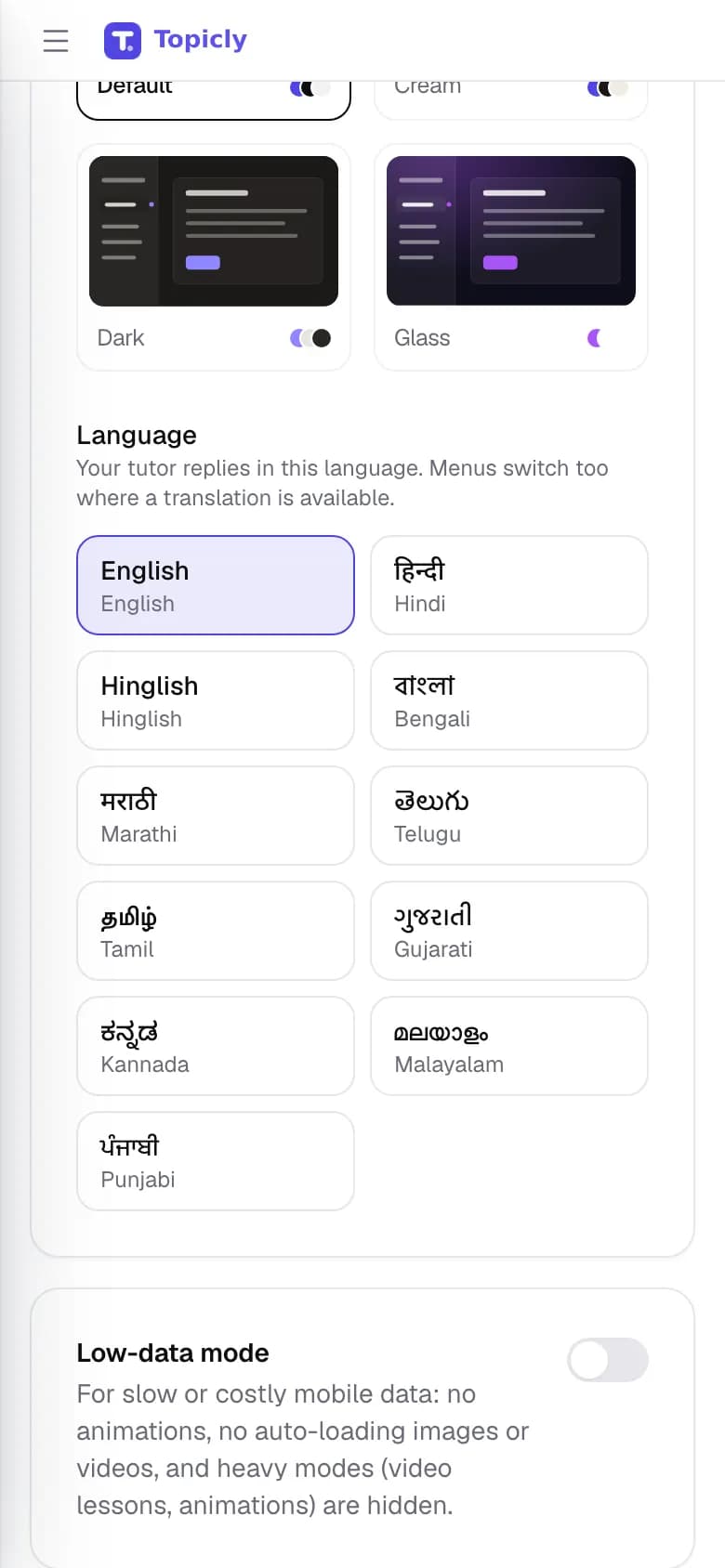
Choose your language when you sign up, or change it at any time from the language menu or your profile.
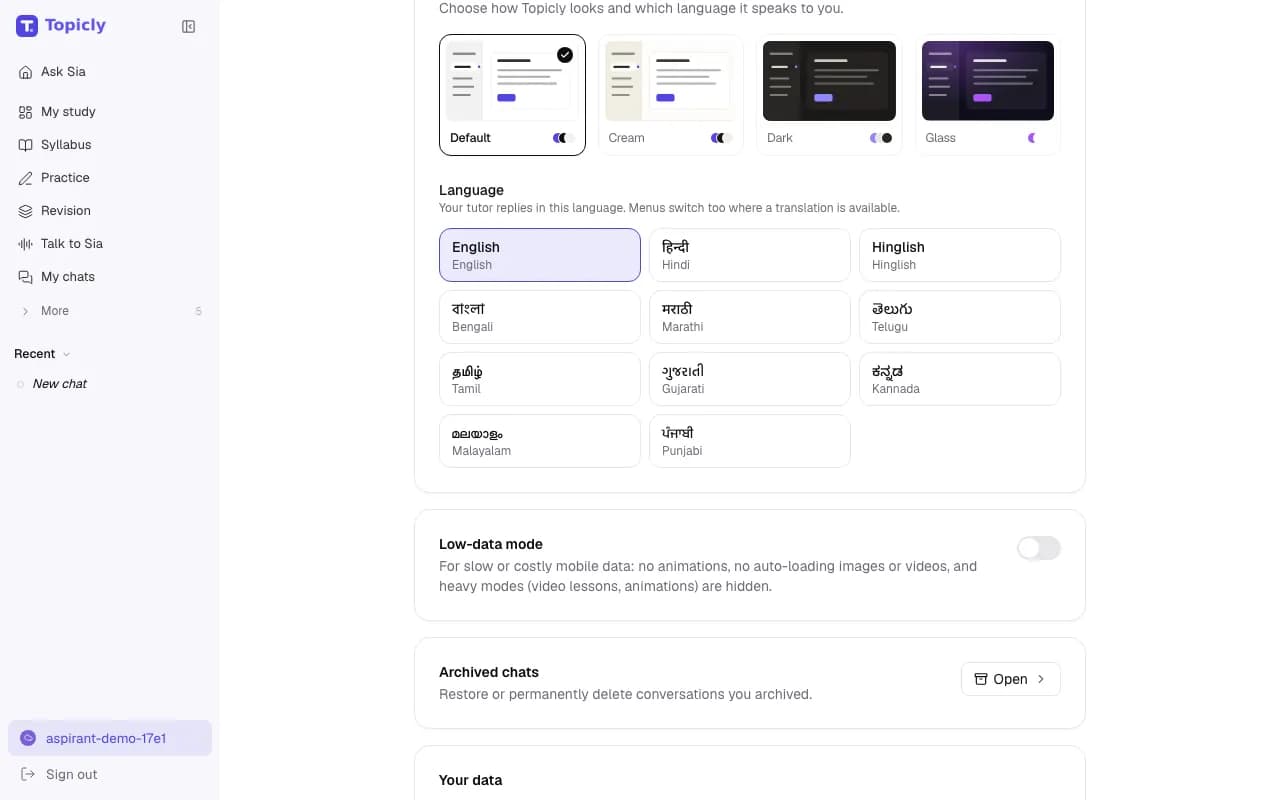
Read menus in English or Hindi, and get Sia’s replies in the language you picked.
Turn on low-data mode if your connection is limited.
EVERY FEATURE IN LANGUAGES AND ACCESS
What you can do, and why it helps.
- 01
English or Hindi interface
Menus, buttons and pages in English or Hindi.
- How it works
- Switch from the language menu or your profile; the change applies right away.
- How it helps
- You can navigate without second-guessing a single label.
- 02
Tutor replies in eleven languages
English, Hindi, Hinglish, Bengali, Marathi, Telugu, Tamil, Gujarati, Kannada, Malayalam and Punjabi.
- How it works
- Pick a language and Sia replies in it in every study mode. Menus for languages other than English and Hindi stay in English.
- How it helps
- Concepts land faster in the language you think in.
- 03
Bilingual questions
An English/Hindi switch on mock questions that have translations, plus on-demand translation of quiz questions and answers.
- How it works
- Use the language switch in a mock, or the Translate menu under a question or answer.
- How it helps
- Practise in the language you will choose on exam day.
- 04
Hindi syllabus pages
Public syllabus pages for every exam, also published in Hindi.
- How it works
- Open the Hindi syllabus section from the site, or switch language on any syllabus page.
- How it helps
- Plan your preparation in Hindi from the very first step.
- 05
Low-data mode
Fewer animations and lighter media on your device.
- How it works
- Turn it on from your profile when your connection is slow or data is limited.
- How it helps
- Topicly stays usable on patchy mobile data.
- 06
Your data, your choice
Download your account and study data, or delete your account.
- How it works
- Both are in your profile, under Your data.
- How it helps
- You stay in control of what is stored about you.
IN YOUR PREPARATION
How aspirants use it.
- BPSC
Read the syllabus in Hindi, then ask Sia to explain the Champaran Satyagraha in Hindi.
- SSC CGL
Practise mock questions in Hindi, and switch a tricky English-comprehension question to English to compare.
- RRB NTPC
Ask Sia for a Tamil explanation of a General Science concept, then try the quiz in English.
Good to know
The interface is available in English and Hindi. Tutor replies and translation use AI and can contain errors. Not every question has a Hindi translation. Low-data mode changes what your device downloads and shows; it does not change the content. Topicly does not guarantee exam results. Paid plans on the pricing page are proposed and cannot be bought today.
Ready to try Languages and access?